Node.js hosting on Litehost
Run Node apps without managing a server. Pick a version, give it a start command and a port, and it goes live on your domain with its own log, private Redis and PostgreSQL. It restarts if it exits.
From ₦ 35,000 a year · billed yearly · no setup feeDone-for-you setup on every Node.js plan
Within one business day we install your dependencies, run the app as a worker with its start command and port, route your domain to it and set its environment. Business adds GitHub deploys, and Cloud Enterprise adds a free move of your app and database from Render, Railway, Heroku or a VPS.
See what is set up
Node apps that stay up, without a server to run
Long-running apps
Your Node server runs as a worker process and restarts if it stops. Pick the Node.js version per site.
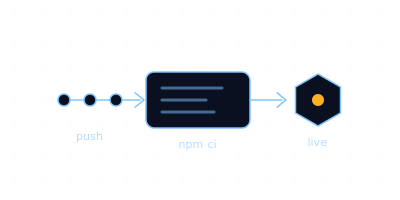
Deploy from GitHub
Every push runs your build script and ships the release. SSH, Git and npm sit in each site’s own container.
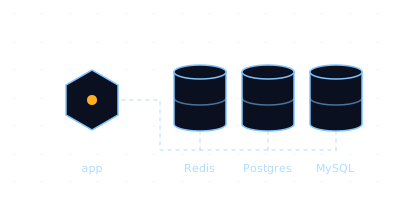
Redis, PostgreSQL and MySQL
Private Redis, PostgreSQL and MySQL on every plan, from 2 PostgreSQL databases on Premium to 10 on Cloud Enterprise.
Three Node.js plans, billed yearly
Node.js Premium
For a few Node apps- Memory per site
- 1.5 GB
- vCPU per site
- 2
- Processes per site
- 70
- Websites
- 4
- NVMe disk
- 25 GB
- Transfer a month
- 100 GB
- Private Redis and 2 PostgreSQL databases
- 10 mailboxes, 5 GB each
- Your app set up for you within a business day
Node.js Business
For apps with real traffic- Memory per site
- 3 GB
- vCPU per site
- 3
- Processes per site
- 110
- Websites
- 6
- NVMe disk
- 35 GB
- Transfer a month
- 200 GB
- Private Redis and 5 PostgreSQL databases
- 25 mailboxes, 5 GB each
- Your app set up for you
- GitHub deploy set up for you
Node.js Cloud Enterprise
For agencies and production apps- Memory per site
- 5 GB
- vCPU per site
- 4
- Processes per site
- 160
- Websites
- 10
- NVMe disk
- 55 GB
- Transfer a month
- 400 GB
- Private Redis and 10 PostgreSQL databases
- Unlimited mailboxes, 5 GB each
- App and GitHub deploy set up for you
- Free app and database migration
- Priority ticket thread
| Every limit, per plan | Premium | Business | Cloud Enterprise |
|---|---|---|---|
| Price per year | ₦ 35,000 | ₦ 45,000 | ₦ 55,000 |
| Memoryper site | 1.5 GB | 3 GB | 5 GB |
| vCPUper site | 2 | 3 | 4 |
| Processesper site | 70 | 110 | 160 |
| Websites | 4 | 6 | 10 |
| NVMe diskper plan | 25 GB | 35 GB | 55 GB |
| Transfer per monthper plan | 100 GB | 200 GB | 400 GB |
| PostgreSQL databases | 2 | 5 | 10 |
| Private Redis | Yes | Yes | Yes |
| Mailboxes5 GB each | 10 | 25 | Unlimited |
Memory, CPU and processes are per website; disk and transfer are per plan. Prices in NGN, excluding VAT. No setup fee. Cards from any country are accepted.
Not included: root access, since each site gets a shell in its own container, not the whole server; and monthly billing, since every plan is billed yearly.
How to host your Node.js app on Litehost
A Node app runs as a worker process: a command the panel keeps running inside your site’s own container. The HTTP proxy puts it on your domain, and SSH or a GitHub deploy gets your code and dependencies there.
A worker process that stays up
Open the site, go to Advanced and Worker processes, click Launch and pick Node.js. The panel keeps your command running inside the site’s container and restarts it if it exits.
- Any Node.js release from 0.12 to the current major, installed for the site on first start
- Your own start command: node server.js, npm start or whatever the app uses
- A log for every worker, right in the panel
The HTTP proxy, with websockets
Turn the HTTP proxy on and give it the port your app listens on. Leave the path empty for the whole domain, or mount the app at a path such as /api beside a PHP site.
- Listen on 0.0.0.0, not localhost, so the proxy can reach it
- The path prefix is stripped, so an app on /api receives requests at /
- Each app is reached through one path, so serve its uploads and websockets under that same path
Deploy from GitHub, or over SSH
Push a branch and your build script runs, or work in a real shell in your site’s container. Run npm install before the first launch, because the worker does not install dependencies for you.
- npm install in the build script or over SSH
- Deploys do not restart workers: press Restart container after a deploy
- Every Node.js plan has SSH, Git and GitHub deploys
Node first, and anything that listens on a port
Node.js has its own version picker. The Custom type runs whatever you ship: a compiled Go or Rust binary, or a Python script.
- Type
- Node.js
- Version
- Any, 0.12 to the current major
- Startup command
- npm start
- Working directory
- ~/app
- HTTP proxy port
- 3000
- Path
- (empty: whole domain)
- Websocket upgrade
- On
A Node server
Pick Node.js and a version. The version is installed for this site on first start, which takes a minute, and reused after that.
# over SSH, before the first launch
cd ~/app && npm install

# server.js
app.listen(3000, '0.0.0.0')
- Type
- Custom
- Command
- ./bin/server
- Working directory
- ~/app
- HTTP proxy port
- 8080
- Path
- api
- Websocket upgrade
- Off
A Go binary
There is no Go compiler in the container, so build for Linux on x86_64 anywhere and ship the binary. Static builds are the safe choice.
CGO_ENABLED=0 GOOS=linux GOARCH=amd64 \
  go build -o bin/server .
- Type
- Custom
- Command
- ./bin/server
- Working directory
- ~/app
- HTTP proxy port
- 8080
- Path
- files
- Websocket upgrade
- Off
A Rust binary
Build with the musl target, or let GitHub Actions build a release and download it in your build script.
cargo build --release \
  --target x86_64-unknown-linux-musl
- Type
- Custom
- Command
- .venv/bin/python app.py
- Working directory
- ~/app
- HTTP proxy port
- 8000
- Path
- (empty: whole domain)
- Websocket upgrade
- Off
A Python app
Python 3.12 is installed. Make a virtual environment inside the site over SSH, then use its interpreter in the command.
python3 -m venv .venv
.venv/bin/pip install -r requirements.txt
If it runs as a Node server, it runs here
Build it, start it with your usual command, and point the proxy at its port.
What your Node app gets
Its own container
Each site gets its own memory, vCPU and process limits, from 1.5 GB and 2 vCPU on Premium. The app runs as the site’s own user and cannot see other sites on the server.
Your MySQL, by socket
Connect through /run/mysqld/mysqld.sock. Nothing listens on 127.0.0.1:3306, so set the driver’s socket path rather than a host and port.
Private Redis and PostgreSQL
Every Node.js plan includes private Redis on 127.0.0.1:6379, plus PostgreSQL and MySQL, from 2 PostgreSQL databases on Premium to 10 on Cloud Enterprise.
A real shell
SSH into the site’s container for npm install, builds and running the command once by hand to see why it will not start.
Rules that are easy to miss
Seven things that trip up a first Node deploy, so they do not trip up yours.
Read the full Node.js guide- 01Fill in the working directory.A worker with an empty working directory never starts.
- 02Single quotes only.The command runs inside a shell wrapper that breaks on a double quote. Put anything complicated in a script and run ./run.sh.
- 03The log only keeps the latest attempt.A worker that crashes at startup restarts every few seconds and clears its log, so run the command once over SSH to see the real error.
- 04Every change restarts every worker on the site.Adding or editing a worker briefly restarts the others.
- 05Deploys do not restart workers.After a GitHub deploy, press Restart container on the site overview.
- 06Settings go in a .env file.There is no settings form in the panel. Put your app’s settings in a .env file in the site and read them at startup.
- 07One path per app.Each app is reached through one URL path, so serve its uploads and websockets under that same path.